My mission was to develop a robust governance architecture to ensure the responsible use of AI tools—prioritizing the environment, society, and the integrity of the brand.
Token Efficiency
↓30%
Reduced overall token consumption while strictly adhering to ethical content policies.
Ideation Velocity
↑20-50%
Sped up the ideation phase while ensuring all deliverables pass a mandatory senior designer review pipeline.
Brand Alignment
100%
Achieved and maintained absolute brand compliance across all generated AI visual outputs.
The Governance Pipeline
This workflow illustrates how a user prompt moves through our centralized AI hub. It passes through strict resource, brand, and ethical filters—with automated prompt revisions along the way—before a final human review ensures the highest quality output.
User Prompt
proceeds to
Centralized AI Hub
proceeds to subgraph
Resource & Ethical Stewardship
Track Token Usage
& Alerts
& Alerts
then
Revise User
Prompt
Prompt
then
Block Face-Generation
Keywords
Keywords
proceeds to
Revise User
Prompt
Prompt
proceeds to subgraph
Brand Integrity & Risk Mitigation
Inject Brand Styles
& Hex Codes
& Hex Codes
then
Automated Reverse-
Image Search
Image Search
proceeds to
Revise User
Prompt
Prompt
proceeds to
Apply final prompt to
AI Image generator
AI Image generator
proceeds to subgraph
Human-in-the-Loop
Draft Asset
Generated
Generated
then proceeds to
Senior Designer Review
↳ Rejected
↳ Approved
Approved Final Asset
Architecture Pillar Breakdown
Resource & Ethical Stewardship
Sustainable & Safe
- Monitor Usage: Actively tracks prompt frequency and intensity to prevent the overuse of computational resources.
- Restrict Content: Blocks human depictions (deepfakes/faces) to navigate complex legal and ethical landscapes.
Application Impact
Reduced overall token consumption by 30% while strictly adhering to ethical content policies.
Brand Integrity & Risk Mitigation
Consistent & Legally Insulated
- Enforce Consistency: Automatically applies predetermined styles, palettes, and visual standards to every prompt.
- Mitigate Risk: Utilizes automated checks to flag potentially derivative or copyrighted assets before production.
Application Impact
Workflows now automatically apply specific color hex codes and styles, with reverse-image search protocols verifying originality.
Human-in-the-Loop
Nuanced & Quality Controlled
- Require Quality Control: AI assists with ideation and bulk creation, but does not run the workflow unsupervised.
- Mandatory Review: A trained designer or reviewer must manually refine, validate, and approve the final output.
Application Impact
Sped up the ideation phase by 20%-50% while ensuring all deliverables pass a mandatory senior designer review pipeline.
Implementation Roadmap
To operationalize this governance pipeline at scale, I developed a structured rollout leveraging Microsoft Teams, Copilot Studio, and SharePoint. This ensures every piece of content is actively routed through necessary policy gates without bottlenecking the creative workflow within Firefly (AI Art Generator).
Phase 1: Lightweight MVP
1–2 Weeks
A manual workflow designed to prove the process, gather real-world data, and validate user needs before building automations.
- Establish the SharePoint Governance Hub
- Deploy the "Responsible AI Checklist"
- Create initial prompt templates
- Implement manual logging for baseline metrics
Phase 2: Copilot Studio Agent
2–4 Weeks
Fully operationalizing the workflow via an automated Copilot Studio agent in Teams, backed by SharePoint governance.
- Teams: The primary front-end user interface
- Copilot Studio: Manages conversation logic & gates
- SharePoint: Source of truth (rules, templates, logs)
- Power Automate: Executes routing, tasks & approvals
Automated Agent User Flow
1
Create Content
Ingests the brief, pulls the correct prompt template from the SharePoint list, and generates a draft (plus one variant) in Default Lean Mode to reduce compute waste.
2
Run Checks
Automatically scans the draft against brand voice, bias rules, copyright risks, and accessibility standards. Outputs a "Risk Summary" with action items.
3
Human Review Gate
Creates a Planner task or Approvals request via Power Automate and immediately notifies the selected reviewer directly within Teams.
4
Log & Finalize
Captures generation counts, tracks risk flags, updates the usage log, and produces an AI transparency note for the internal record.
The AI Checklist
- Brief Clarity Define audience, channel, and must-avoids upfront.
- Originality Never copy/paste source text directly; rewrite in the brand voice.
- Attribution Document sources for any claims or reused materials.
- Bias Check Remove stereotypes, loaded language, and exclusionary phrasing.
- Sustainability Stick to 1 strong draft + targeted revisions.
- Ownership AI assists; a human owns the final content.
Governance in Action
Regulated Outputs • Stylized Imagery • Approved Assets
Here is a look at an approved visual asset generated and refined through my AI compliance agent. This process not only saved on generative credit costs, but it also reduced iteration steps and overall resource consumption.

Approved Prompt
A text-only description of Las Vegas at night, pinpointing its tonal qualities. To test my agent I uploaded a photo of Las Vegas. This triggered an alert that buildings in the image could be protected by copyright laws.

Approved Prompt
Adding a text-only description of Fabergé eggs for their use of materials. I tested my agent by adding the actual Fabergé name to my prompt. Again, my agent flagged this prompt for the use of the name.
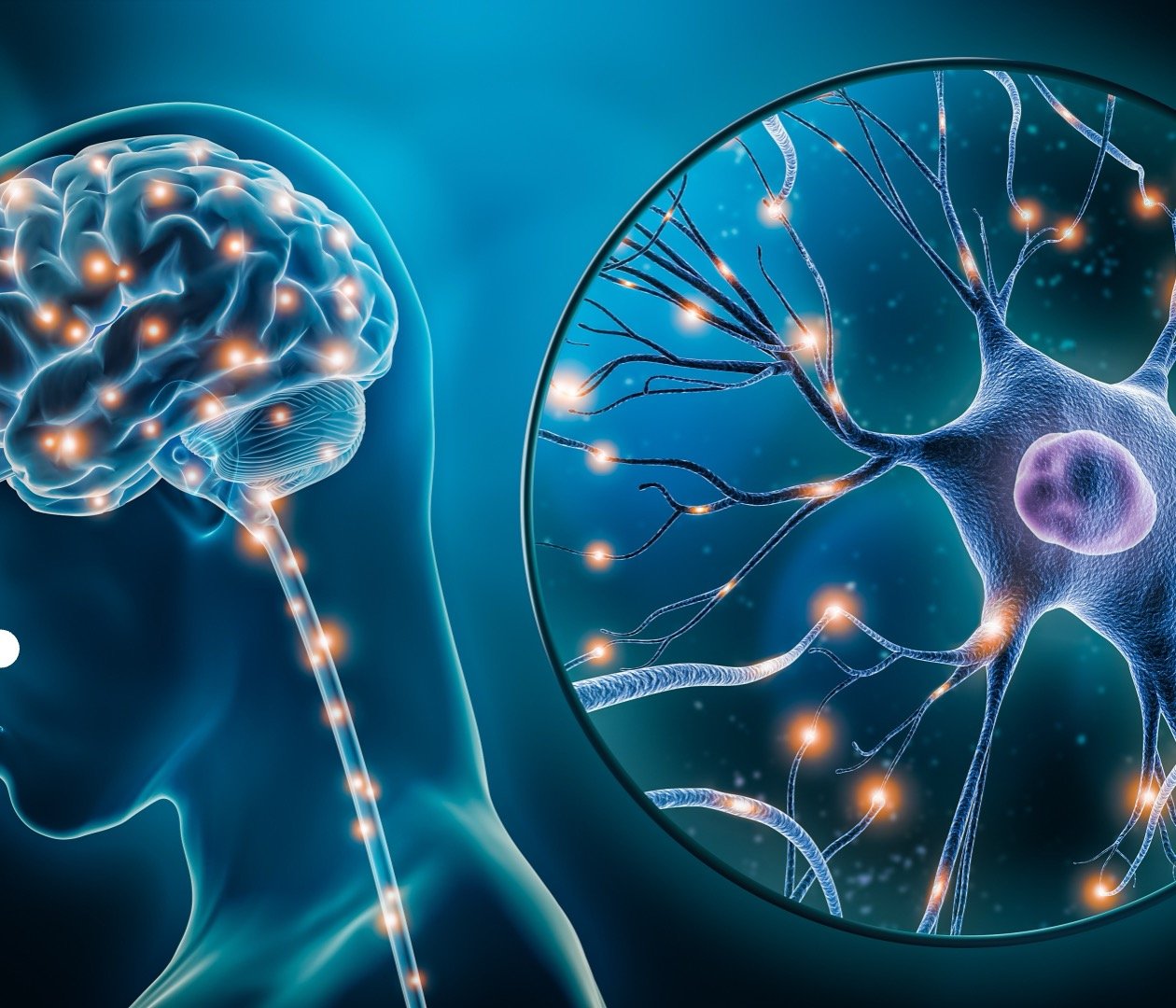
Approved Prompt
Finally, a text and image description of a magnified view of brain cells. This passed the checks without delay.

Approved Output